WordPress 7.0 is a major release: an AI client in core and a refreshed dashboard. A company website should move to it only after you have checked PHP and plugins and run a test on a copy. Not on release day.
The version named Armstrong came out on May 20, 2026, after being pushed back from April. Below you will find the list of changes, the server requirements and the order of steps that lets the update go through without downtime. At the end we also suggest who is better off waiting.
Table of contents
What is new in WordPress 7.0 Armstrong?
Three things: an AI client in core, a new screen for connections to external services and a set of design tools. The full description is in the official Armstrong release announcement, and the most important new features in WordPress 7.0 are:
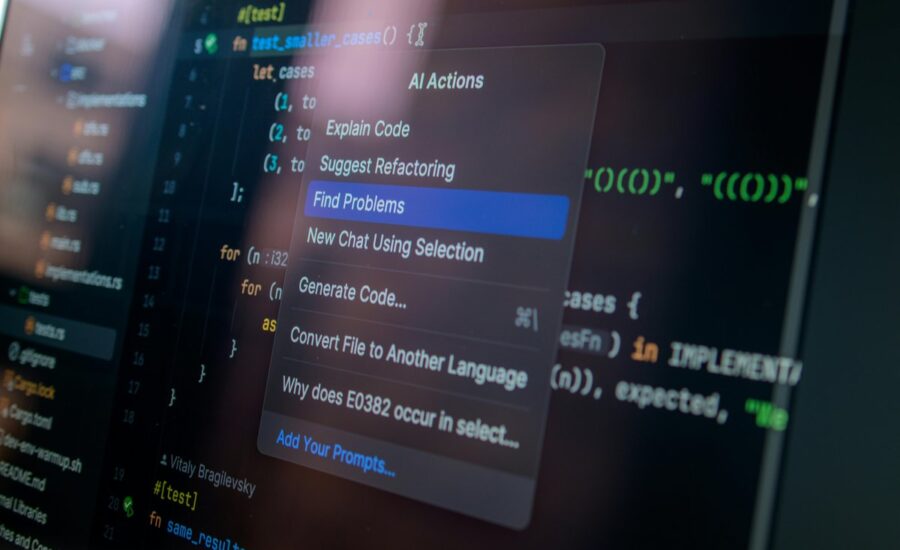
- AI client and Abilities API - infrastructure for connecting a site to artificial intelligence services,
- the Connectors screen, where you manage connections to external providers,
- a refreshed dashboard look and a command palette for jumping quickly between screens,
- a font manager,
- the Breadcrumbs and Icons blocks,
- hiding blocks depending on the device,
- CSS at the level of a single block.
What does an editor get out of this? Above all, faster navigation. Instead of clicking through menus, they type the name of a screen into the palette and that is it. A person running a store, in turn, gets more control over the look without adding plugins, because breadcrumbs, icons and mobile layout variants are set directly in the editor.
AI in WordPress: what is actually in core and what is in a plugin
This is where misunderstandings come easily. Core provides only the infrastructure for connecting to AI services, while generating images, titles and alternative text works in a separate plugin. The AI client is the layer through which WordPress talks to the model provider you choose. The Abilities API lets plugins describe which actions they can perform. And then there is the Connectors screen, which gathers all such connections in one place.
The update itself does not switch anything on. The site does not suddenly start using artificial intelligence, because that takes an account with a provider, an API key and a deliberate decision to enable the feature. Before you do that, ask your team one thing: does it have a specific job for AI (for example filling in alternative text for hundreds of old photos), or does it treat it as a curiosity?
WordPress 7.0 and PHP: what to check on the server
The minimum PHP version is 7.4, the recommended one is 8.3. Sites running on PHP 7.2 and 7.3 stay on the 6.9 branch. You will find the reasoning in the core team’s post about dropping support for PHP 7.2 and 7.3. And what does your site run on? You can check that in the dashboard, under Tools - Site Health, or in your hosting panel.
Changing the PHP version is a separate step and needs its own test. That is because older plugins and themes can throw errors on a newer interpreter that were not there before. So the order is always the same: first you raise PHP on a copy and check that everything works, and only then do you update core.
How to prepare the update to WordPress 7.0 step by step
A backup, a test on staging (that is, on an isolated copy of the site) and only then production. So much for theory. In practice it looks like this:
- Make a full backup of the files and the database, then make sure it can be restored.
- Check whether the authors of your plugins and theme have confirmed compatibility with the new version.
- Update core on staging.
- Go through the most important paths: contact form, cart, payment, login.
- Deploy the change to production outside peak traffic hours.
- After the deployment, review the error log, test orders and email delivery.
We break each of these stages down in more detail in our guide to updating WordPress step by step. In a store it is better to replace clicking through the cart by hand with scripts, because automated tests before deployment catch regressions faster than a person does. And one more thing: watch out for themes with their own CSS and plugins that tinker with the dashboard. Since its look has changed, extra panels and styles may simply fall out of place.
Who in the company connects API keys and how to protect them
One person. A designated one, with the administrator role, because every key to an AI service gives access to the company’s paid account. Before you turn on the Connectors screen, review the user roles and keep only as many administrators as you really need. Accounts with access to the dashboard are worth securing with a second factor, and how to set that up is described in our article on two-step login for WordPress.
Generate a separate key for the website, independent of the one used by other tools in the company. Also set a spending limit with the provider. An employee has left or the cooperation with an agency has ended? Replace the key. And agree within the team what content may be sent to an external service, because customer data is subject to personal data protection regulations.
When to update a company website and when to wait
A simple company website can be updated after a successful test on a copy. A store or a site with many plugins is a different story, and in my opinion it is better to move them only after the first maintenance release. The timing depends on the number and age of the extensions, your own theme modifications, the PHP version and the sales calendar. Hold off when a payment plugin or a warehouse system integration has no confirmed compatibility, or when the server runs on PHP below 7.4. And at the peak of the season? Leave it alone.
The new dashboard and the command palette also mean a short onboarding for editors, who will spend the first few days looking for familiar options in different places. WordPress and WooCommerce training run on your own website helps with that. Overall, WordPress 7.0 is best rolled out in a fixed order: PHP version, backup, staging, path testing, production. The decision to connect AI comes only at the very end.
Frequently asked questions
Will WordPress 7.0 work on PHP 7.4?
Yes, it is the minimum version for this release. The recommended one is 8.3, though, so plan to raise the interpreter while you are updating. And test it separately on a copy.
Do I have to use AI after the update?
No. Core contains only the infrastructure, and features such as generating images, titles or alternative text require a separate plugin and connecting a service with an API key. Without these steps the site works just as it did before.
What about a site on PHP 7.2 or 7.3?
It stays on the 6.9 branch until the PHP version is raised. First change the interpreter on staging, then check the plugins and the theme. Only then move to the new release.