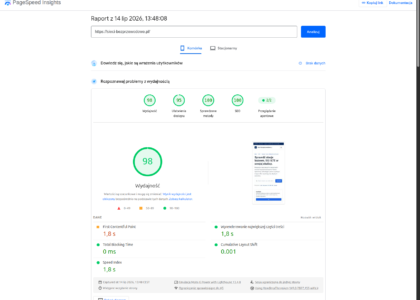
Frontend optimization in React and Vue.js comes down to limiting unnecessary rendering, splitting code, lazy loading and measuring performance. In an era where every second of load time counts, frontend optimization with React and Vue.js takes on exceptional importance. These two popular JavaScript solutions, backed by huge communities, make it possible to design modern user interfaces while offering a range of tools and practices that improve application performance. Competition online grows day by day, and visitors have no patience for sites or applications that load too slowly. High frontend performance has become one of the key factors of online success, directly affecting user satisfaction, search engine rankings and conversion rates.
Well optimized JavaScript code and responsible component state management let you build interfaces that react instantly to user actions. Add to that mechanisms such as lazy loading, code splitting and efficient resource management. All of this makes React and Vue.js an attractive choice for companies that want applications which not only look good, but also run without delays. In this article we look at the most important aspects of frontend optimization, from both a technical and a business point of view. We discuss practical tips on how to improve performance in React projects and how to manage applications built in Vue.js effectively. You will also learn what your project gains from understanding the differences between these frameworks and choosing your tools deliberately.
Table of contents
The main challenges in frontend optimization
Both React and Vue.js treat the component as the basic building block of a view. The more complex the application, the more components it has, which calls for a sensible approach to state management and to the flow of data between individual modules. A common mistake is duplicating logic in many places or letting components re-render uncontrollably on every data change.
When we think about frontend optimization, the main issues are:
- Rendering the visual layer - avoiding overly frequent refreshes of elements that do not need to be updated at all.
- JavaScript bundle size - every extra library, unused piece of code or oversized image will slow down page loading.
- State management - correct implementation of a library (for example Redux, Vuex) or of the context mechanisms in React and Vue.js, so that updates do not loop unnecessarily.
- Lazy loading and code splitting - loading components or modules only when they are needed.
- Buffering and caching - especially for data fetched from an API, in order to relieve the main rendering process and shorten response times.
Each of these elements can significantly affect the user experience. In an e-commerce project even a delay of a few seconds can reduce the conversion rate, which is why it is so important to watch frontend optimization from the very start of work on the application.
React: key practices that improve performance
React was designed as a library for building interfaces. Thanks to that it can be combined with other tools as needed. Even so, there are several proven methods for keeping React applications fast and stable:
- PureComponent and memo
React offers a mechanism for switching off unnecessary rendering. Component versions that inherit fromReact.PureComponentand functions wrapped inReact.memocan automatically check whether the state or the properties (props) have actually changed. If not, the component is not rendered again. - Avoiding direct mutations
It is essential to preserve state immutability. Every modification should create a new object or array instead of changing an existing reference. This makes it easier for React to detect changes and to update efficiently only those elements that really need refreshing. - Code splitting and dynamic imports
Functions such asReact.lazylet you load the code of specific components only once the user actually uses them, for example in a given section of the application. In large projects this can significantly reduce the initial file size. - External performance measurement tools
To identify bottlenecks in an application it is worth reaching for tools such as React DevTools, the Performance Profiler or Lighthouse in Google Chrome. They can point out which components render too often and help detect large files that block code parsing.
If you are interested in optimization in the broad sense, including how fast store pages run, take a look at our comprehensive guide to improving e-commerce performance. You will find practical tips there that largely apply to React-based applications as well.
Vue.js: effective methods for improving applications
Vue.js gained popularity thanks to its simple approach to building interfaces and its friendly documentation. At the same time it provides features that work well for optimization. Here are a few of them:
- Observation-based reactivity
Vue.js tracks the properties of objects and arrays so that it can automatically update the related interface whenever something changes. It is important not to disturb this process with manual modifications of deeply nested objects outside the Vue mechanism. When we need to change large arrays intensively, it is worth considering keeping part of the state outside the main reactive structure. - Functional components
Vue.js 2.x has the concept of functional components which, much like React PureComponents, do not track their own state or lifecycle, which translates into faster rendering. In Vue 3.x the same effect is even easier to achieve when you use the Composition API and manage reactivity carefully. - Lazy loading in the router
If a Vue application uses the official router, you can apply dynamic imports in the routing sections. For example, the matching code file is loaded only once the user navigates to a specific subpage. - Avoiding unnecessary logic in the template
It is sometimes tempting to put many computational calls in a.vuefile. It is better, though, to stick to the rule that the template stays as simple as possible and that more complex operations move into methods or computed properties. This also makes testing and debugging easier.
The speed of a Vue.js application is closely tied to the architecture of the whole solution. As the application grows, you can decide on central state management with Vuex or, in the new Vue 3, with Pinia. It is also worth getting to know the best practices in interface design described in this guide, so that UX goes hand in hand with performance.
Differences between React and Vue.js in the context of optimization
Although both frameworks have a lot in common, there are subtle differences that can affect the optimization process:
- State management
React does not impose a specific state management tool. You can use Redux, MobX or React context alone. In Vue.js, on the other hand, Vuex has become the standard (and Pinia in newer projects), which ensures a consistent approach, although it requires understanding Vue conventions. - The way rendering works
By default React uses a virtual DOM tree and strict rules regarding state. Vue also uses a Virtual DOM, but its implementation tends to be somewhat friendlier for beginners. In practice the final performance of both solutions is similar, and the project architecture is what really matters. - Community and ecosystem
React has one of the largest communities in the frontend world, which means access to plenty of libraries and tools (for example Next.js). Vue.js, in turn, attracts developers with its simplicity. The Vue ecosystem is also developing rapidly, offering solutions such as Nuxt.js for building SSR (Server-Side Rendering) applications.
These differences often decide which framework is chosen at the very start of a project. From an optimization point of view, both tools offer solid foundations, and the choice tends to come down to the team’s working style and the specific features we want to implement.
Why frontend optimization translates into business success
A well optimized application not only satisfies users, it also has a positive effect on company results. Page load time is one of Google’s ranking factors, which translates directly into visibility in search. On top of that, the faster the frontend, the better the conversion in online stores and the lower the bounce rate.
For example, a site that loads in two seconds instead of five can attract far more potential customers. Users are willing to browse offers, use the application interface and make a purchase decision only when the whole thing works quickly and smoothly.
What is more, a smaller JS bundle also saves data transfer for mobile users. With the smartphone market growing steadily, frontend optimization with React and Vue.js makes it possible to reach people who do not always have a fast connection. Keeping the bounce rate low and reviews of the application positive translates in the long run into higher revenue and a stronger brand image.
Rules for success in React and Vue.js optimization
To sum up the most important tips:
- Plan from the start
As early as the application design stage, take into account the component structure, the approach to state management and code splitting. - Regular performance testing
Do not wait until the project grows large. Run performance tests and profiling as work goes on, so that problems are eliminated quickly. - Minimize dependencies
Installing every possible library in a project is a sure path to excessive load. Use only the packages you actually need. - Balance between UX and performance
Animations and graphically rich interfaces can put a strain on hardware resources. Always analyze whether the extra visual effects are worth the cost. - Framework updates
Both React and Vue.js keep evolving, introducing performance fixes and new tools. Keep your project in line with the latest versions.
Frontend optimization is not a one-off task but a continuous process that accompanies the entire application lifecycle. By choosing React or Vue.js as the basis of your solution, you gain flexibility and efficient component rendering mechanisms. Technology alone is not enough, though. What really matters is a deliberate approach to architecture, testing and extending the application. Only when combined with attention to code quality, state management and responsible use of resources will optimization bring visible results. For users it will simply mean a fast, intuitive website or application. For the development team it means less time spent solving performance problems, which translates into faster delivery of new features. Finally, from a business perspective, an effectively optimized frontend can mean higher conversion, better SEO results and greater customer satisfaction. Given the growing competition online and market expectations, implementing best practices in React or Vue.js becomes an investment that pays off quickly. It is worth reaching for performance measurement tools, analyzing statistics regularly and introducing improvements, because the frontend is to a large extent the user’s “first impression” - and we know how important that can be in the digital world.